For most SMEs, growth brings a familiar infrastructure challenge: your systems need more capacity, but the cost and disruption of adding physical servers makes scaling feel like a full-scale project every time. You're forced to choose between over-provisioning hardware you might not need or scrambling to catch up when demand spikes.
Virtualization removes that constraint. By decoupling your workloads from physical hardware, you gain the ability to scale infrastructure on demand: without constant capital expenditure, without lengthy deployment cycles, and without the risk that comes with major hardware overhauls.
This is the second post in our series for technical and operational leaders. If you're evaluating infrastructure options or planning a migration, understanding how virtualization fundamentally changes your scalability options is essential.
The Business Case: Why Physical Infrastructure Holds You Back
Traditional server deployments follow a predictable pattern. A new application or service requires dedicated hardware. You source the equipment, wait for delivery, provision it, deploy it, and hope you've sized it correctly. If demand grows beyond capacity, the cycle starts again.
This model worked when IT infrastructure changed slowly. But in 2026, business requirements shift faster than procurement cycles allow. A retail fit-out for a high-end brand like Audemars Piguet needs network infrastructure that can support both current operations and future growth without re-cabling the space. Schools need systems that adapt to changing educational technology without requiring summer shutdown projects every year.
Physical servers also create hidden costs. Each one requires power, cooling, physical space, and individual maintenance. When one fails, the entire service it supports goes offline. Planning for capacity means either running systems at low utilization (wasting resources) or operating close to limits (risking performance issues).
Virtualization addresses all of these constraints by treating compute, storage, and networking as pooled resources rather than discrete boxes.

Server Consolidation: The Immediate ROI
The most tangible benefit of virtualization is consolidation. Multiple virtual machines run on a single physical host, dramatically reducing the number of servers you need to maintain.
A typical SME running five to ten physical servers can often consolidate down to two or three hosts with virtualization, cutting hardware costs by 50% or more. More importantly, you reduce the operational overhead: fewer devices to patch, monitor, power, and replace.
One of our clients, a specialist fit-out contractor, was managing seven aging physical servers across their office and warehouse locations. Each server supported a specific function: file storage, email, project management, accounting, and so on. Maintenance windows required coordinating downtime across multiple systems. When one server failed, recovery meant restoring from tape and rebuilding the environment manually.
After migrating to a virtualized infrastructure with proper backups and replication, they reduced their footprint to two physical hosts running seven virtual machines. Power consumption dropped by 60%. Backup windows went from overnight batch processes to continuous replication. And when they needed to add a new application for client portal access, provisioning took hours instead of weeks.
This is the shift virtualization enables: infrastructure becomes a platform you manage centrally, not a collection of individual machines you maintain separately.
Risk Reduction: Migration Without Disruption
One reason businesses delay infrastructure upgrades is migration risk. Moving production workloads between physical servers involves significant downtime, careful timing, and the potential for data loss if something goes wrong.
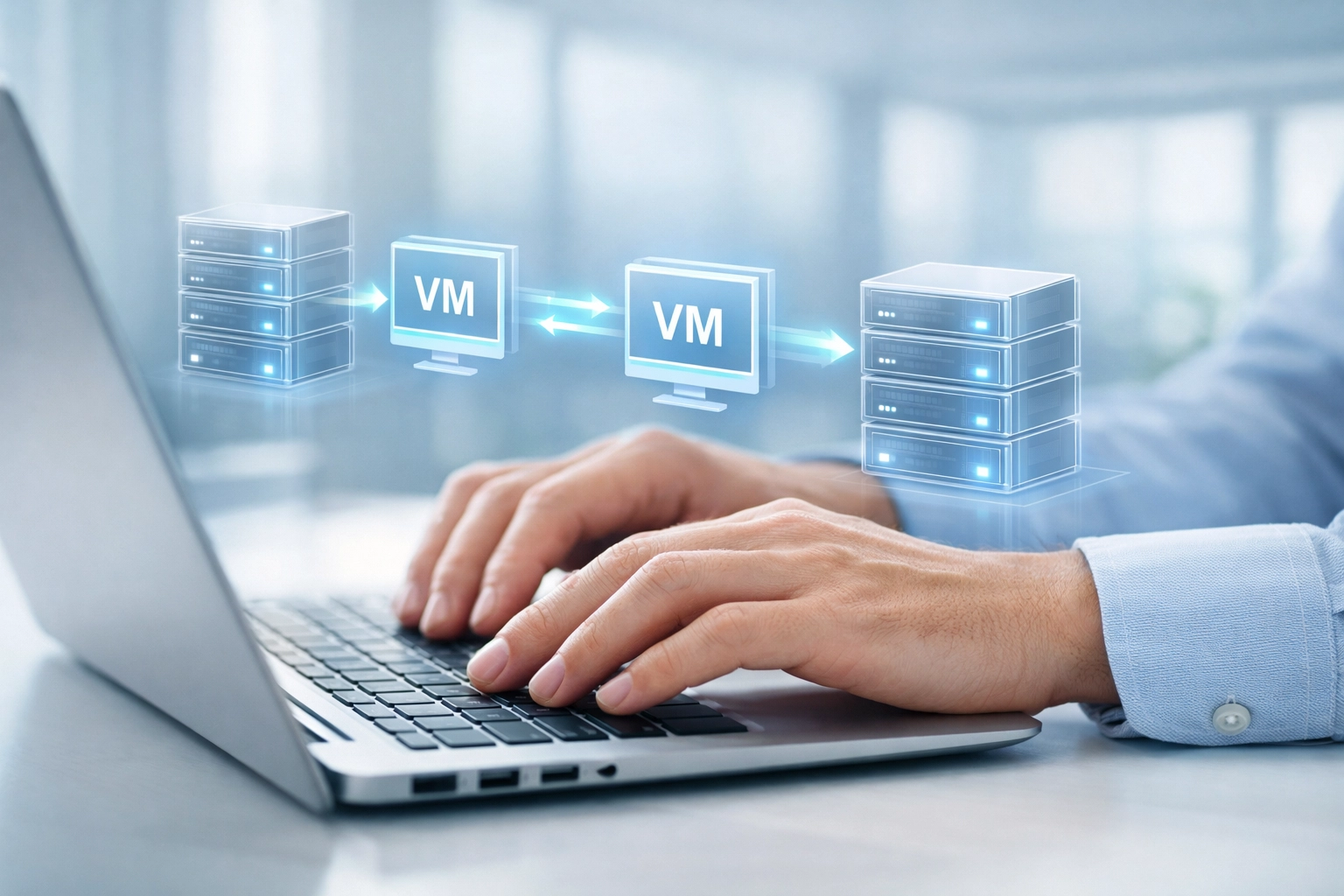
Virtualization transforms the migration process. Because virtual machines are essentially files, they can be moved between hosts with minimal or zero downtime. Live migration allows you to shift running workloads from one physical server to another without interrupting service: essential when you're supporting operations that can't afford outages.
This capability matters during planned upgrades (replacing aging hardware), unexpected failures (moving workloads off a failing host), and capacity expansion (redistributing virtual machines to balance load). You maintain business continuity while the infrastructure evolves underneath.
For schools especially, this flexibility is critical. Term time doesn't allow for extended IT outages. With virtualization, infrastructure maintenance happens in the background. Teachers and students experience uninterrupted access while the underlying systems are updated, patched, or migrated to newer hardware.
The risk profile changes from "major project with significant downtime" to "routine operational task with minimal impact."
Flexibility: Provisioning at the Speed of Business
Physical infrastructure operates on procurement timelines. Virtualization operates on demand timelines.
When you need additional capacity in a virtualized environment, you provision a new virtual machine from existing resources in minutes. No purchase orders, no delivery schedules, no installation projects. The infrastructure you've already invested in expands to meet the requirement.
This agility extends beyond simple capacity. Virtual machines can be cloned for testing environments, snapshotted before major changes, and rolled back if something goes wrong. You can spin up temporary infrastructure for seasonal demand or specific projects, then decommission it when it's no longer needed: without leaving unused hardware gathering dust.
For businesses managing complex fit-out projects or multi-site operations, this flexibility translates directly to competitive advantage. When a new contract requires specific IT capabilities, you can deploy the infrastructure before the physical space is even ready. When a client needs to test integration between systems, you can create isolated virtual environments without touching production.
The infrastructure becomes responsive rather than restrictive.
Cost Efficiency Beyond Hardware Savings
The financial case for virtualization extends well beyond the initial hardware consolidation. Operational costs decrease across the board:
Power and cooling: Fewer physical servers mean lower electricity bills and reduced cooling requirements. For SMEs running on-premise infrastructure, this can represent a 40-60% reduction in utility costs.
Space requirements: Data center or server room space becomes less constrained. Instead of planning for physical expansion, you maximize the capacity of existing hosts.
Maintenance windows: Centralized management means patches and updates can be applied systematically rather than server-by-server. Some updates can be performed with live migration, eliminating downtime entirely.
Disaster recovery: Virtualized environments replicate more easily than physical infrastructure. Instead of maintaining duplicate hardware for failover, you can replicate virtual machines to a secondary location or cloud environment at a fraction of the cost.
Licensing optimization: Many software vendors license by physical processor or server. Consolidating workloads onto fewer hosts can reduce licensing costs alongside hardware expenses.
The cumulative effect is a significant reduction in total cost of ownership. More importantly, you shift spending from reactive maintenance and emergency replacements to strategic capability development.
High Availability Without Enterprise Budgets
One of the most significant advantages virtualization brings to SMEs is affordable high availability. In a physical environment, redundancy means duplicate hardware: an expensive proposition for smaller organizations.
Virtualization enables clustering and failover configurations that would be cost-prohibitive otherwise. Multiple hosts pool their resources. If one fails, virtual machines automatically restart on surviving hosts. Your services stay online while you address the hardware issue.
For businesses where downtime means lost revenue: retail operations, professional services firms, education providers: this reliability is essential. You gain enterprise-grade availability without enterprise budgets.
We've seen this capability prove its value repeatedly. A fit-out client running site surveys and project management systems experienced a host failure during a critical client presentation. The virtual machines failed over automatically. The presentation continued without interruption. The client never knew there had been a problem.
That level of resilience used to require investments SMEs couldn't justify. Virtualization makes it standard operating procedure.
Making the Transition: Strategic Considerations
Moving to a virtualized infrastructure isn't just a technical migration: it's a strategic decision that affects how your business operates.
Start with a clear assessment of your current environment. Which workloads are candidates for virtualization? What are your availability requirements? Where are the constraints in your existing infrastructure?
Not every workload needs to be virtualized immediately. Legacy applications with specific hardware dependencies might require more planning. But most business systems: file servers, databases, web applications, communication platforms: transition smoothly.
Consider the opportunity to modernize during migration. Virtualization works well alongside cloud services, creating hybrid environments where some workloads run on-premise and others in hosted platforms. This flexibility lets you optimize placement based on performance, security, and cost requirements rather than being locked into a single approach.
Plan for proper backup and disaster recovery from the start. Virtualization makes robust backup strategies more accessible, but they still need to be designed and implemented correctly. Continuous replication, point-in-time recovery, and tested restoration procedures should be part of your virtualized environment from day one.
The Foundation for Future Growth
Virtualization isn't just about solving today's scalability challenges: it creates a foundation that grows with your business. As requirements evolve, the infrastructure adapts without requiring fundamental rebuilds.
When you're ready to adopt new technologies: containerization, cloud integration, advanced security tools: a virtualized environment provides the flexibility to incorporate them smoothly. You're not constrained by rigid physical infrastructure that locks you into outdated patterns.
For SMEs balancing growth ambitions with budget realities, this matters. You invest in capability that serves current needs while positioning you for future opportunities. Infrastructure becomes an enabler rather than a constraint.
Ready to Assess Your Infrastructure?
If you're operating on physical servers and facing scalability constraints, or planning a hardware refresh, virtualization deserves serious consideration. The benefits: cost reduction, operational flexibility, improved availability: compound over time.
We help SMEs across fit-out, retail, and education sectors design and implement virtualized infrastructure that delivers measurable business outcomes. Our approach focuses on understanding your operational requirements first, then architecting solutions that serve them efficiently.
Book an Infrastructure Audit to review your current environment, identify consolidation opportunities, and map a migration path that minimizes risk while maximizing capability. Let's build infrastructure that scales with your business( not against it.)