A Wi-Fi 7 refresh can improve capacity and user experience, but new access points alone will not guarantee either. Their performance depends on the cabling, switches, power and radio-frequency design behind them. If those parts of the network are undersized, an expensive wireless upgrade can still leave staff and students with poor connections.
For UK schools, multi-academy trusts and commercial fit-outs, this is a decision to make before procurement. The design and infrastructure installed this year will determine what your wireless can deliver in 2027-and how much you spend to get there.
The refresh decision has already arrived
The Department for Education’s wireless network guidance says that when an upgrade is needed, schools and colleges should use Wi-Fi 7 (802.11be) as a minimum. It also stresses that cabling and switches affect wireless performance, and calls for coverage planned around occupancy and use, not just a nominal access-point count. Its network cabling guidance recommends Cat6A for new installations and wireless upgrades.
Industry plans point in the same direction. The Wireless Broadband Alliance’s 2026 report found that 38% of respondents planned Wi-Fi 7 deployment in 2025/2026, while 65% rated 6 GHz availability as important or critical. MLO (46%), OFDMA (33%) and WPA3 (33%) ranked among the features buyers said they valued most.
The age of your current access-point fleet matters too. Some third-party market estimates suggest 30–40% of UK enterprise access points could be due for refresh by 2028. Cisco’s State of Wireless research supports the broader shift towards newer wireless standards, but does not publish or validate that specific percentage. Treat it as a planning signal, not a universal replacement rule: check each device’s age, condition and vendor support dates.
Plan for density, not just coverage
Wi-Fi 7 brings 6 GHz spectrum into the design. That additional band can support capacity in busy environments, but 6 GHz has a shorter range than 5 GHz and is more readily affected by building materials. The result is often a need for more access points to deliver reliable coverage and capacity.
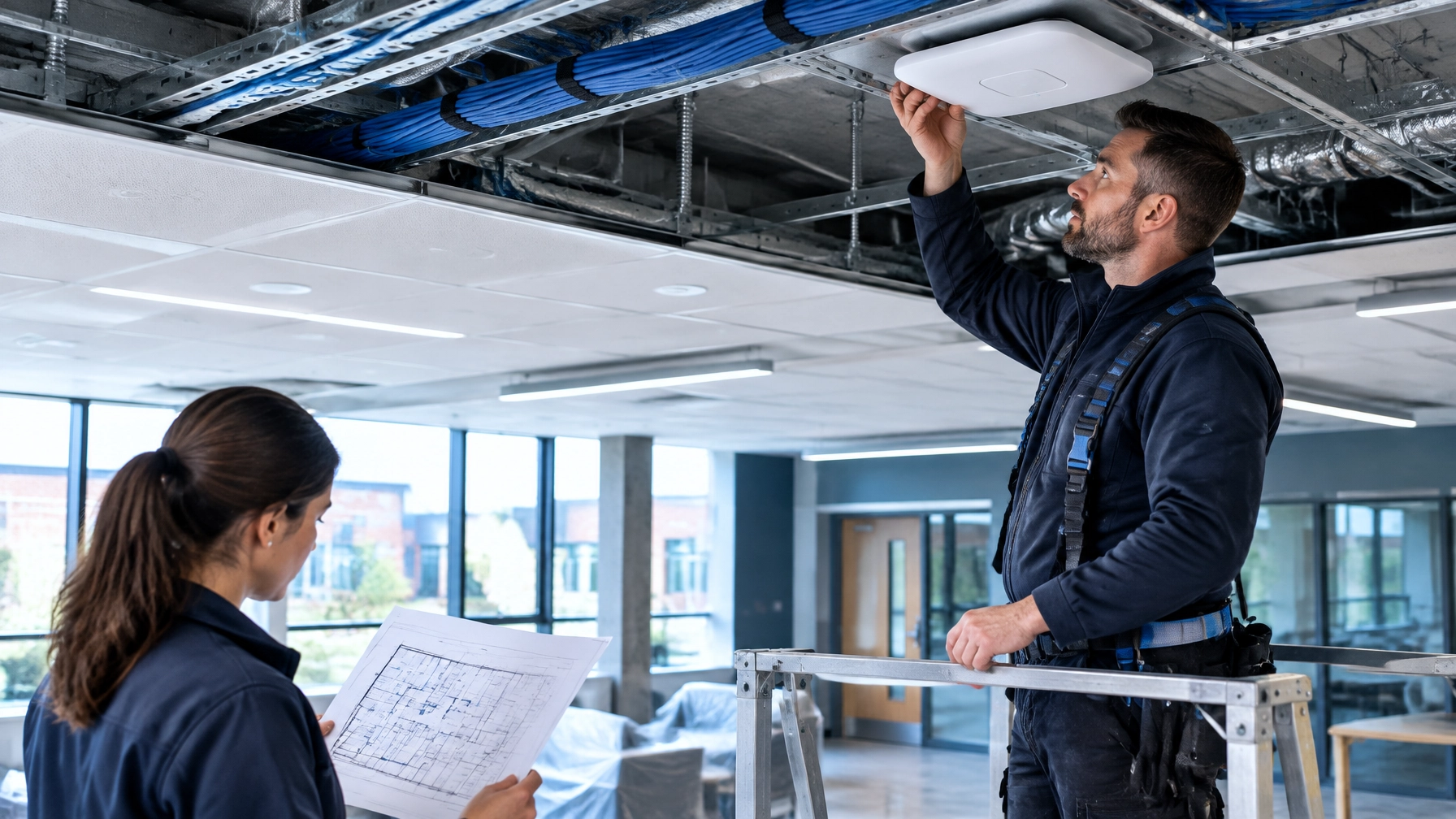
More access points mean more than a larger hardware order. They can require additional cable runs, switch ports, PoE capacity and network uplink bandwidth. In schools, the difference can become clear when many students use e-learning services at once, or when a school hall fills with devices. In offices, AV and IoT equipment can compete for airtime alongside laptops and phones.
The right number and placement of access points should come from a predictive RF design and a site survey, not guesswork or a simple comparison with the old layout. The DfE specifically recommends wireless heat mapping and planning for the expected number of users in each space.

Build the budget around the full stack
The access point is only one line in the project budget. A complete estimate should also account for new or additional Cat6A runs, PoE++-capable switch ports where the chosen model requires them, multi-gigabit uplinks, possible fibre backbone work, licences, surveys, installation and re-commissioning.
Cabling: Cat6A supports 2.5, 5 and 10GbE and is the sensible copper baseline for new builds and wireless upgrades. Reusing Cat5e can constrain what an access point delivers. Particularly where the existing link only negotiates at 1GbE. Test existing runs and confirm the actual link rate before deciding they are reusable.
Power: Tri-radio Wi-Fi 7 access points commonly draw around 30–60W, with some models requiring up to 90W per switch port. That is why PoE++ (802.3bt) may be needed. Requirements vary by model, however, so check the manufacturer’s power specification and the switch’s total PoE budget. Do not assume an older 802.3af/at switch will power a new AP with all features enabled, or that a new switch has enough aggregate power for every port at once.
Switching and uplinks: A faster AP can still be constrained by its wired connection. Size switch ports and uplinks to match the AP specification and expected traffic. Multi-gigabit uplinks are commonly needed; larger sites may also need fibre backbone links between cabinets to avoid creating a bottleneck upstream.

Compare the risks: AP-only versus full-stack upgrade
| Access points only | Full-stack planning |
|---|---|
| New APs connect to older cabling or 1GbE ports, limiting backhaul capacity. | Cat6A and appropriate multi-gigabit ports are assessed against the AP design. |
| Existing switch power may be inadequate, leading to reduced functionality or extra spend later. | PoE requirements and the total switch power budget are confirmed before purchase. |
| More APs add load to uplinks that may already be busy. | Uplinks and, where needed, fibre between cabinets are designed for projected traffic. |
| Coverage and capacity gaps appear after installation. | Predictive design and a site survey inform AP numbers and locations before the order. |
| Retrofitting cabling can cause delays and disrupt occupied spaces. | Work is sequenced around term dates or fit-out handover milestones. |
Treat wireless as part of your security and resilience plan
Wireless now supports more than laptops. CCTV, access control and IoT devices may depend on the same underlying network. An outage, misconfiguration or overloaded link can affect security systems as well as everyday work.
Plan for WPA3, wireless intrusion prevention or detection (WIPS/IDS), and clear segmentation for staff, guests, IoT, CCTV and access control. In schools, those controls support safeguarding and help protect sensitive data. The DfE guidance also calls out network segregation, QoS and security measures such as WPA3 and WIPS.
Resilience deserves similar attention. Review how critical wireless services behave if a switch, uplink or power supply fails. Where the consequence of an outage warrants it, assess redundancy and backup arrangements as part of the design, not after commissioning.
What to check before you sign the order
- Has a predictive RF design and site survey confirmed coverage, capacity and AP locations?
- Are AP counts based on expected occupancy and device density, including 6 GHz requirements?
- Have existing cable runs been tested, and is Cat6A specified for new runs?
- Do switch ports meet the AP’s data-rate and PoE requirements, including the total power budget?
- Are uplinks, and fibre between cabinets where needed, sized for projected traffic?
- Are WPA3, WIPS/IDS, guest access and network segmentation included in the security design?
- Are licences, support, firmware updates, testing and re-commissioning included in the cost?
- Does the installation plan fit school term dates or the fit-out’s handover schedule?
For commercial fit-outs, agree access routes and installation responsibilities early, taking landlord constraints and other trades into account. Anantek has delivered structured cabling and Wi-Fi installations for luxury retail brands Audemars Piguet and A. Lange & Söhne: projects where coordination, presentation and a dependable handover matter. Working with trusted electrical partners can help align cable routes, containment and programme dates.
Sequence the investment across budget years
A full refresh does not always need to happen in one budget year. Start with an audit of access-point age, support status, cable performance, switch capacity and coverage problems. Then prioritise the areas where density, operational risk or end-of-support dates make action most urgent.
For example, a school could upgrade a high-use teaching block first during a suitable holiday window, then schedule other buildings around later funding cycles. A fit-out team could install and test the wired backbone before ceilings close, then commission wireless against the completed floor plan before handover. In both cases, staging should follow a single end-to-end design so that early work remains compatible with later phases.
This is where IT infrastructure and IT management planning connect: the goal is reliable, maintainable infrastructure that can grow without repeated emergency retrofits. A lifecycle plan can also help SMEs using IT support services decide what to upgrade now and what can wait. Strong foundations support services ranging from everyday connectivity to Microsoft 365 for SMEs; they do not, however, compensate for a congested or undersized wireless network.
Make the infrastructure decision before the AP decision
Wi-Fi 7 is an infrastructure upgrade, not an access-point swap. The practical value comes from matching RF design, cabling, switching, power, security and rollout timing to the demands of your site.
Before placing an order, arrange a wireless and cabling assessment or network audit. Anantek Solutions can help identify existing constraints, plan a staged upgrade and align the work with term dates or fit-out handover milestones. Contact us to discuss your network upgrade.